LinkedIn Profilbild Checker: 9 Dinge vor dem Upload prüfen
Prüfe Zuschnitt, Licht, Ausdruck, Hintergrund und professionellen Eindruck, bevor dein LinkedIn Foto live geht.

Inhalt
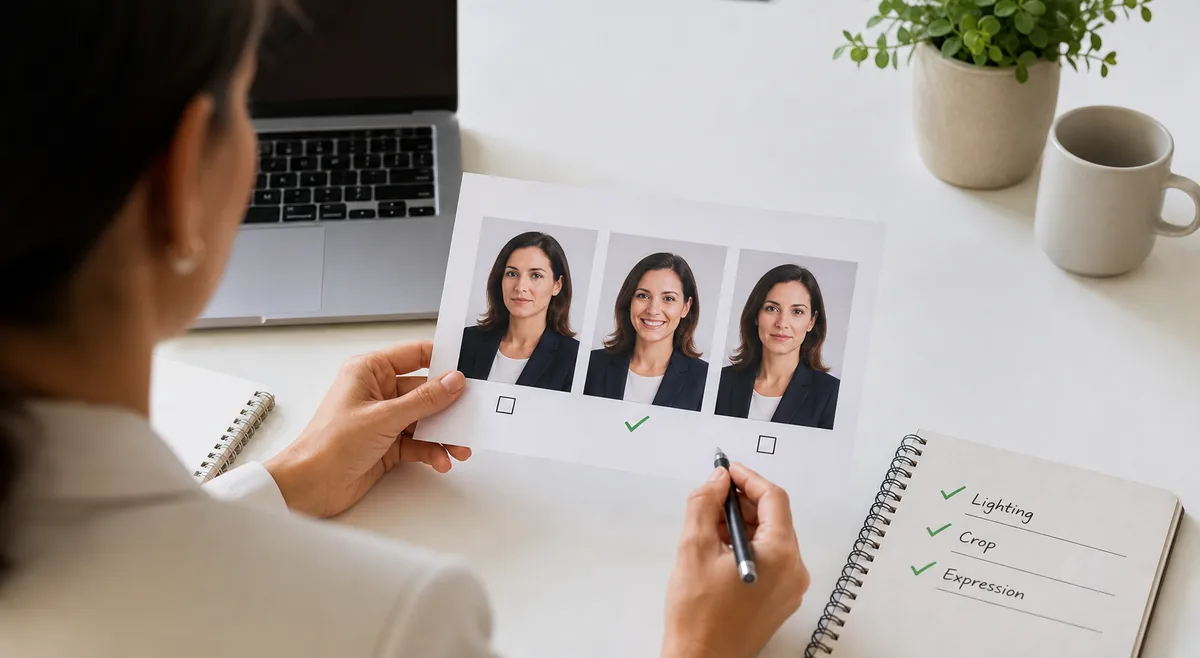
Nutze diesen LinkedIn Profilbild Checker, um ein professionelles Headshot zu wählen, typische Fehler zu vermeiden und dein Foto mit KI-Feedback zu testen.
The same practical checklist applies in every market: choose a recent, recognizable, well-lit image that still feels like you and supports the professional role you want to signal.
Use the checker as a decision aid. Review clarity, crop, expression, background, and privacy first; then compare a few real candidates instead of overediting one photo.
Was ein LinkedIn Profilbild Checker prüfen sollte
A useful checker does more than ask whether the photo looks attractive. LinkedIn is a professional network, so the better question is whether the image supports trust, clarity, and role fit. A recruiter should be able to recognize your face in a tiny circle. A client should not wonder whether the image is old, filtered, or pulled from a party crop.
Use the checks below before testing small variations. If a photo fails on face visibility or image sharpness, fix that first; small edits to color or crop will not rescue an image that is hard to identify.
Recognizability
Your face should be visible, recent, and easy to identify even when the image is shown as a small circular thumbnail.
Crop and proportions
Aim for a head-and-shoulders crop with enough space around the face so the circle preview does not cut off hair, chin, or shoulders.
Lighting and sharpness
Soft front light and a sharp image usually beat dramatic shadows, backlighting, heavy blur, or compressed screenshots.
Professional context
The clothing, background, and expression should match the role you want to be trusted for, not just the photo that gets the most likes.
Fast answer
If the photo is clear at small size, recent, well lit, cropped around the face and shoulders, and appropriate for your field, it is usually a strong LinkedIn candidate.
LinkedIn Foto-Scorecard
Give each row a pass, maybe, or fix. A photo with seven or more passes is usually worth testing. A photo with weak recognizability, harsh lighting, or a confusing background should be retaken instead of heavily edited.
| Prüfung | Starkes LinkedIn Signal | Korrigieren, wenn du das siehst |
|---|---|---|
| Gesicht sichtbar | Augen, Gesichtsform und Ausdruck sind gut lesbar | Gesicht ist zu klein, verdeckt, abgewandt oder mit Sonnenbrille |
| Zuschnitt | Kopf und Schultern passen sauber in Quadrat oder Kreis | Kopf, Kinn oder Schultern sind unglücklich abgeschnitten |
| Licht | Weiches, gleichmäßiges Licht mit natürlichem Hautton | Harte Schatten, Gegenlicht, Farbstich oder wenig Licht |
| Schärfe | Das Bild wirkt auf Desktop und Mobilgerät klar | Unschärfe, Screenshot-Kompression oder niedrige Auflösung |
| Ausdruck | Ruhig, zugänglich und selbstbewusst | Gezwungenes Lächeln, angespannter oder abgelenkter Blick |
So machst du ein besseres Business-Headshot
You do not need a studio session for a stronger professional profile picture. Most people can get a better result with a phone camera, a clean background, and a few minutes of intentional setup. The key is to make the face readable and the context believable.
Shoot several versions instead of trying to perfect one pose. Small changes in eye level, smile, shoulder angle, and distance can make a large difference in how approachable and confident the image feels.
- Stand near a window or shaded outdoor area with soft light coming from the front or front side.
- Use the rear camera when possible and ask someone else to take the photo instead of stretching into a close selfie.
- Frame from mid-chest or shoulders up, leaving enough room for LinkedIn's circular crop.
- Choose a simple background: plain wall, office, library, neutral outdoor space, or softly blurred work setting.
- Wear clothing that fits your professional goal and contrasts gently with the background.
- Try three expressions: relaxed smile, slight smile, and calm neutral. Choose the one that feels both competent and approachable.
- Export a clean square image instead of uploading a screenshot from another app.
- Compare two to five candidates with a profile picture rater before choosing the final upload.
Fehler, die professionelle Fotos schwächen
Most weak LinkedIn photos fail because they add friction. The viewer has to work to identify the person, read the context, or decide whether the photo is current. The fixes are usually straightforward.
| Fehler | Warum es schadet | Bessere Wahl |
|---|---|---|
| Gruppenfoto zuschneiden | Wirkt informell und kann andere Personen im Bild lassen | Nutze ein eigenes Einzelporträt |
| Screenshot hochladen | Kompression macht das Foto weich | Nutze Originalbild oder sauberen quadratischen Export |
| Entferntes Ganzkörperfoto wählen | Dein Gesicht verschwindet in der kleinen Kreisvorschau | Nutze Kopf-und-Schultern-Zuschnitt |
| Gesicht überbearbeiten | Reduziert Vertrauen und wirkt in Meetings inkonsistent | Nur Licht und Zuschnitt leicht anpassen |
| Hintergrund ignorieren | Unordnung lässt das Profil nachlässig wirken | Wähle Wand, Büro oder neutralen Hintergrund |
KI-Feedback sinnvoll nutzen
AI photo feedback is useful when you compare several real options. It can point out lighting, clarity, crop, facial visibility, and overall profile-picture readiness. That is different from treating one score as a judgment of your career potential or personal value.
For LinkedIn, do not chase the highest attractiveness score if the image becomes too polished, too casual, or inconsistent with your profession. A slightly lower-scoring photo that looks trustworthy, current, and role-appropriate may perform better in a professional context.
- Upload only photos you have permission to use.
- Compare images with the same crop and similar lighting when possible.
- Read comments about clarity and expression before focusing on the numerical score.
- Avoid heavy beauty filters, face reshaping, or edits that make the photo misleading.
- Make the final decision based on professional fit, not the AI score alone.
Mehr zu KI-Fotofeedback findest du in unserem Guide zur KI-Fotobewertung. Wenn du auch Dating-Fotos auswählst, lies den Dating-Profilbilder-Guide.
Datenschutz und Upload-Sicherheit
A LinkedIn photo is public-facing, but that does not mean every draft image should be shared everywhere. Avoid uploading sensitive workplace screenshots, badges, documents, or location clues in the background. Crop out anything that does not belong in a professional public profile.
Before using any AI photo checker, read how the service handles uploads. Prefer tools that explain whether images are stored, used for training, or deleted after processing. Do not upload other people's photos without consent.
Datenschutzhinweis
Before testing professional headshots, review the upload and storage policy of the tool you use. Datenschutzerklärung
Bottom Line
Nutze diesen LinkedIn Profilbild Checker, um ein professionelles Headshot zu wählen, typische Fehler zu vermeiden und dein Foto mit KI-Feedback zu testen.
Fix the obvious issues first: dark light, strange crop, busy background, outdated image, screenshot compression, or excessive retouching. Then choose the photo that is clear, credible, and professionally consistent.
FAQ
Über die Autorin
Emily Chen
Emily Chen schreibt über praktische KI-Fototools, Profilbildauswahl und sinnvolles visuelles Feedback.
Quellen und weiterführende Links
Zuletzt aktualisiert: 18. Juni 2026