How AI Rates Your Photo: The 1–10 Scoring System Explained
What the algorithm actually looks at, why the same person gets different scores, and how to put your best face forward

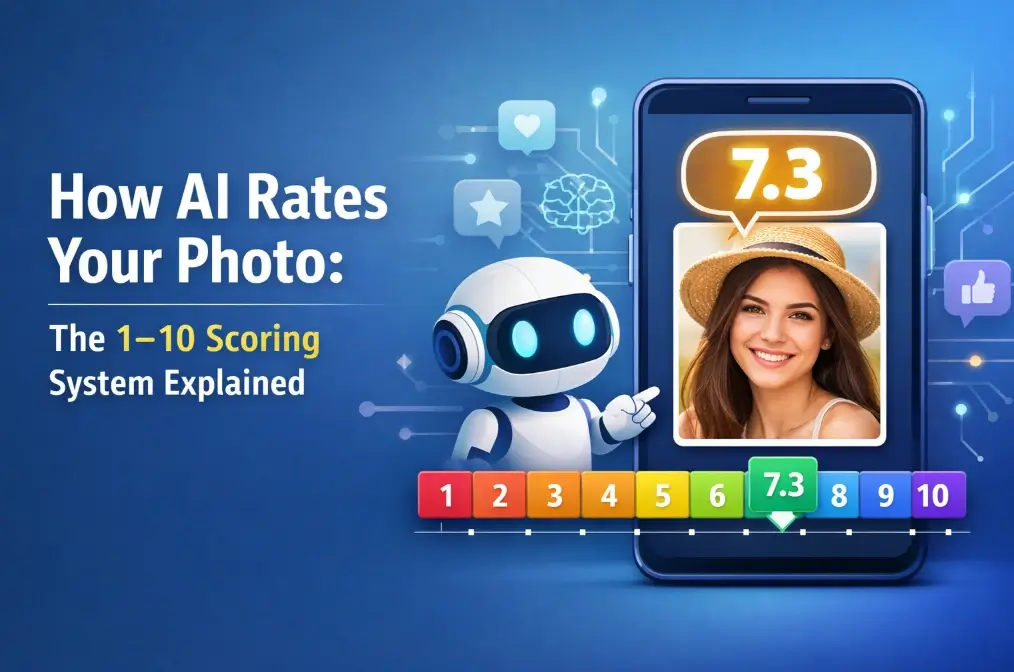
Table of Contents
You upload a photo, wait two seconds, and a number appears: 7.4 out of 10. But what does that actually mean? Is it measuring your attractiveness? Your photogenic quality? The lighting in your kitchen?
The answer is: all of the above, and more. AI photo rating tools have become genuinely sophisticated — and genuinely misunderstood. This guide breaks down exactly how the scoring works, what the numbers mean, and how to use that knowledge to your advantage.
What Is AI Photo Rating?
AI photo rating is the process of using a machine learning model to evaluate a photograph and assign it a numerical score — typically on a scale of 1 to 10. The score reflects how closely the image aligns with patterns the AI has learned to associate with high-quality, appealing portrait photos.
These tools are trained on large datasets of human-rated images. Researchers collect thousands (sometimes millions) of photos, ask real people to rate them, and then train a neural network to replicate those human judgments. The result is a model that can score a new photo in under two seconds.
It's worth being clear about what these tools are not: they are not measuring your worth, your health, or your "real" attractiveness. They are measuring how well your photo performs against a statistical model of what humans tend to rate highly. That's a meaningful distinction.
Quick Definition
An AI photo rating score reflects how closely your image matches patterns that humans have historically rated as appealing — not an objective measure of beauty.
How AI Scores Your Photo: The 5-Step Process
Modern photo rating AI follows a consistent pipeline. Here's what happens between the moment you hit "upload" and the moment your score appears:
1. Face Detection
The model first locates your face in the image using a face detection algorithm. If no face is found — or if the face is too small, obscured, or at an extreme angle — the model may return a low score or an error. This is why cropped, close-up portraits consistently outperform wide shots.
2. Landmark Identification
Once the face is found, the AI maps between 68 and 194 facial landmarks: the corners of your eyes, the tip of your nose, the edges of your lips, your jawline. These points form a geometric skeleton of your face that the model uses for all subsequent analysis.
3. Feature Extraction
From those landmarks, the model calculates hundreds of measurements — facial ratios, symmetry scores, distances between features — alongside texture analysis of your skin. This is where photo quality starts to matter enormously: a blurry image gives the model less data to work with.
4. Neural Network Scoring
The extracted features are fed into a deep neural network trained on human-rated photos. The network outputs a score that represents its best prediction of how a human rater would evaluate the image. Ensemble models (multiple networks averaged together) are used by better tools to reduce variance.
5. Result Output
The final score is returned — usually in under two seconds. More advanced tools also provide a breakdown by category (lighting, composition, facial features) and a percentile ranking showing where your photo sits relative to others.
What AI Actually Looks At
The scoring criteria fall into two broad categories: facial features and photo quality. Both matter — and photo quality often matters more than people expect.
Facial Feature Criteria
- Facial symmetry — How closely the left and right sides of your face mirror each other. Research consistently links symmetry to perceived attractiveness.
- Facial proportions — Ratios like face width-to-height (ideal: ~1:1.5), eye width relative to face width, and the spacing of features.
- Skin clarity — Texture uniformity, absence of visible blemishes, and overall skin tone consistency.
- Feature definition — Jawline sharpness, cheekbone prominence, and eye contrast — features that tend to score well in training datasets.
- Youthfulness markers — Skin elasticity, absence of deep lines, and facial volume — though these vary significantly by training data.
Photo Quality Criteria
- Lighting — The single biggest variable. Soft, even frontal light reduces shadows and makes skin texture appear smoother.
- Sharpness and resolution — A blurry or low-resolution image gives the model less data, which typically results in a lower score.
- Face angle — Front-facing photos within about 15° of center perform best. Profile shots can reduce accuracy by 20–30%.
- Face-to-frame ratio — Your face should occupy roughly 30–70% of the frame. Too small and the model loses detail; too close and it may miss facial context.
- Background complexity — Cluttered backgrounds can confuse the model's face detection step and reduce overall scores.
Photo Quality Impact on Score
| Factor | Score Impact | Best Practice |
|---|---|---|
| Lighting | ±2.0 – 3.0 pts | Soft, even frontal light (natural daylight ideal) |
| Image sharpness | ±1.5 – 2.5 pts | Sharp focus, minimum 1080p resolution |
| Face angle | ±1.0 – 2.0 pts | Front-facing, within 15° of center |
| Face-to-frame ratio | ±0.5 – 1.5 pts | Face fills 40–60% of frame |
| Background | ±0.5 – 1.0 pts | Plain or softly blurred background |
| Expression | ±0.5 – 1.0 pts | Relaxed, genuine smile |
| Heavy filters/editing | ±0.5 – 1.5 pts | Avoid — can lower score by making skin look unnatural |
Real-World Data Point
Testing by rate-my-photo.com showed the same photo scoring 7.8 in its original form, dropping to 3.7 when blurred, and 4.0 with added noise. Lighting changes alone shifted scores by over a full point. Your photo technique matters as much as your face.
What Your 1–10 Score Really Means
Here's the honest breakdown of what each score range typically indicates — and what it doesn't.
| Score | Interpretation | Approx. Percentile | What It Usually Means |
|---|---|---|---|
| 9.0 – 10.0 | Exceptional alignment with the model's beauty criteria | Top 1–2% | Usually requires near-perfect photo conditions plus strong facial features |
| 8.0 – 8.9 | Very high — excellent photo quality and strong features | Top 5–10% | Professional-quality lighting and composition often contribute here |
| 7.0 – 7.9 | Above average — good photo, appealing features | Top 20–30% | A solid selfie in good light will often land here |
| 6.0 – 6.9 | Slightly above average | 40–60% | Decent photo quality; some room to improve lighting or angle |
| 5.0 – 5.9 | Average range | 40–60% | Typical casual photo — nothing technically wrong, nothing exceptional |
| Below 5.0 | Below average — often a photo quality issue | Below 40% | Check your lighting, focus, and angle before assuming it's about your face |
Note: These ranges are approximate and vary between tools. A score of 6 on one platform may not equal a 6 on another.
The Most Important Thing to Remember
A score below 6 is more likely to reflect a photo problem than a "you" problem. Retake the photo in better light before drawing any conclusions.
Why the Same Person Gets Different Scores
This is one of the most common questions people have — and the answer is actually reassuring. The AI isn't being inconsistent; it's responding to real differences in the photos.
The same face can score anywhere from a 4 to an 8 depending on:
- Lighting direction and intensity
- Camera distance and focal length
- Facial expression (a genuine smile can add 0.5–1 point)
- Makeup and grooming
- Background and clothing
- Image compression and file quality
This variability is actually useful. It means you can improve your score by improving your photo — no surgery required. The practical implication: always test multiple photos before deciding which one to use for your dating profile or LinkedIn headshot.
Pro Tip
Upload 3–5 different photos of yourself and compare the scores. The differences will tell you exactly what the AI values — and give you a clear direction for improvement.
How to Get a Higher Photo Rating
Based on how the scoring algorithm works, here are the highest-impact changes you can make:
1. Fix Your Lighting First
- Use natural daylight — position yourself facing a window, not with the window behind you
- Avoid overhead lighting (it creates harsh shadows under your eyes and nose)
- "Golden hour" outdoor light (early morning or late afternoon) is consistently flattering
- If shooting indoors at night, a ring light or softbox makes a significant difference
2. Nail the Angle
- Shoot at eye level or very slightly above — never from below
- Face the camera directly; a slight 10–15° turn is fine but more than that reduces accuracy
- Keep your chin slightly forward and down to define your jawline
3. Optimize Your Composition
- Your face should fill 40–60% of the frame
- Use a plain or softly blurred background
- Remove sunglasses, hats, or anything covering your face
4. Expression and Grooming
- A relaxed, genuine smile tends to score better than a neutral expression
- Well-groomed hair and skin make a measurable difference
- Minimal, natural-looking makeup tends to score better than heavy makeup (which can confuse the model)
What Not to Do
Don't over-edit or apply heavy filters. AI models are trained on real photos, and heavy retouching can actually lower your score by making your skin texture look unnatural.
Best Use Cases: Dating, LinkedIn, Social Media
Knowing your photo score is most useful when you have a specific goal in mind. Here's how to apply it:
Dating Apps (Tinder, Hinge, Bumble)
Your main profile photo is the single biggest factor in match rates. Aim for a score of 7.5+ with natural lighting, a genuine smile, and a clean background. Avoid group photos as your primary image — the AI (and humans) need to identify you immediately.
LinkedIn & Professional Profiles
Professional headshots benefit from slightly more formal composition. A score of 7.0+ with neutral expression, business-appropriate attire, and a plain background signals competence and approachability. Studies show profile photos influence hiring decisions within milliseconds.
Instagram & Social Media
Social media allows more creative freedom. Use the AI rating as a baseline check — if a photo scores below 6, it's worth asking why before posting. High-scoring photos tend to get more engagement, though authenticity matters too.
CV / Bio Photos
For formal documents, prioritize clarity and professionalism over a high attractiveness score. A well-lit, sharp, front-facing photo in appropriate attire is the goal — scores of 6.5–8.0 are typical for good professional headshots.
Research on facial perception consistently shows that facial symmetry is one of the most universally recognized markers of attractiveness across cultures — which is why it features so prominently in AI scoring models. A 2024 study published in NIH/PMC found that AI-generated beauty ideals still closely mirror traditional standards, underscoring both the power and the limitations of these tools.
If you're curious how AI evaluates more than just photo quality, our AI Attractiveness Guide goes deeper into the science of facial beauty analysis. And if you've ever wondered how old you look in a photo, our AI Age Guesser Guide explains how that works too.
Privacy: What Happens to Your Photo?
This is a legitimate concern and worth addressing directly. When you upload a photo to an AI rating tool, different platforms handle your data very differently.
The best tools process your image in memory and delete it immediately after scoring. No storage, no sharing.
Some platforms keep images for 24–48 hours for technical or debugging reasons.
A minority of services may use uploaded images to improve their models. This is usually disclosed in the terms of service — but often buried.
Free services with advertising models may share data with partners. Always read the privacy policy.
What to Check Before You Upload
- Does the site use HTTPS? (Look for the padlock in your browser)
- Does the privacy policy explicitly state images are not stored?
- Is there a GDPR/CCPA compliance statement?
- Does the service require account creation just to get a rating?
Our Privacy Commitment
On this site, your photo is processed and immediately discarded. We do not store, share, or use your images for any purpose beyond generating your rating.
The Bottom Line
AI photo rating is a genuinely useful tool when you understand what it's measuring. It's not judging you — it's evaluating your photo against a statistical model of what humans tend to rate highly. That's a much more actionable thing to work with.
The biggest takeaway: if your score is lower than you expected, start with your lighting. It's the single highest-impact variable, and it's entirely within your control. A good photo in great light will almost always outperform a great face in bad light.
Use the tool, learn from the feedback, and remember that no algorithm captures the full picture of what makes someone compelling. But for choosing your best profile photo? It's a pretty good place to start.
Frequently Asked Questions
About the Author
Sophie Laurent
Sophie Laurent is a Paris-based tech and lifestyle journalist with over nine years of experience covering AI, beauty technology, and digital culture. Her work has appeared in several European and North American publications. She tests AI tools so you don't have to — and always brings a healthy dose of curiosity (and a good selfie) to the process.
References & Sources
- National Center for Biotechnology Information (NIH/PMC) — "Beauty Re-defined: A Comparative Analysis of AI-Generated Ideals and Traditional Standards" (PMC11548680)
- Wikipedia — Facial symmetry and its relationship to perceived attractiveness
- rate-my-photo.com — Real-world photo quality impact data
- looksmaxxreport.com — AI beauty algorithm technical pipeline documentation
- datingphotoai.com — How dating apps rank and evaluate profile photos
Last updated: April 6, 2026