Is Rate My Photo Safe? A Practical AI Photo Privacy Checklist
What to check before uploading a face photo, from retention and training to deletion and sharing.


On this page
If you are asking “is Rate My Photo safe?”, you are asking the right question before uploading a face photo. The score is only one part of the experience; the bigger issue is what happens to the image and the data collected around it.
There is no universal safety label for every AI photo rater. Similar tools can use different retention periods, vendors, account systems, and training policies, so look for specific answers instead of a badge that simply says private.
This guide shows you what to check, which warning signs matter, and how to use an AI photo tool without uploading more personal information than necessary.
Quick answer: is Rate My Photo safe?
It can be reasonable to use a photo rater for casual feedback when it uses HTTPS, explains image handling, limits retention, and gives you a clear deletion or no-storage answer. These safeguards reduce risk but do not make an upload risk-free.
Before uploading, check storage duration, AI training, human review, third-party processors, account requirements, cookies, and deletion requests. If the service avoids these topics or makes absolute promises without details, pause.
Practical rule
Use the least sensitive photo that still answers your question, and do not upload a photo you would be uncomfortable seeing retained or processed by a service.
The safety checklist before uploading
A privacy review can be simple. Look for direct answers on the tool page, upload dialog, privacy policy, and account settings. If the answers conflict, use the more cautious interpretation.
A face photo can also reveal location clues, other people, a badge, a child, a home interior, or device metadata. Crop out details that are not needed for the feedback you want.
| Question | Why it matters | Good sign |
|---|---|---|
| Are photos stored? | Storage creates a longer window for access, breach, or reuse. | A stated retention period and deletion scope. |
| Are uploads used for training? | Training or evaluation may reuse the image beyond your score. | No training by default or a clear opt-out. |
| Who processes the image? | Cloud, moderation, analytics, or model vendors may receive it. | Named categories of processors and purpose. |
| Can I delete it? | Closing the page is not the same as deleting server-side data. | A visible control or specific deletion request path. |
| Is the result private? | A public result link can expose the photo after upload. | Private-by-default results and non-guessable URLs. |
| Is an account required? | An account can connect the image to a lasting profile. | A clear reason for the account and manageable history. |
| Does the policy match the tool? | Conflicting statements make risk hard to judge. | The upload UI and policy use consistent language. |
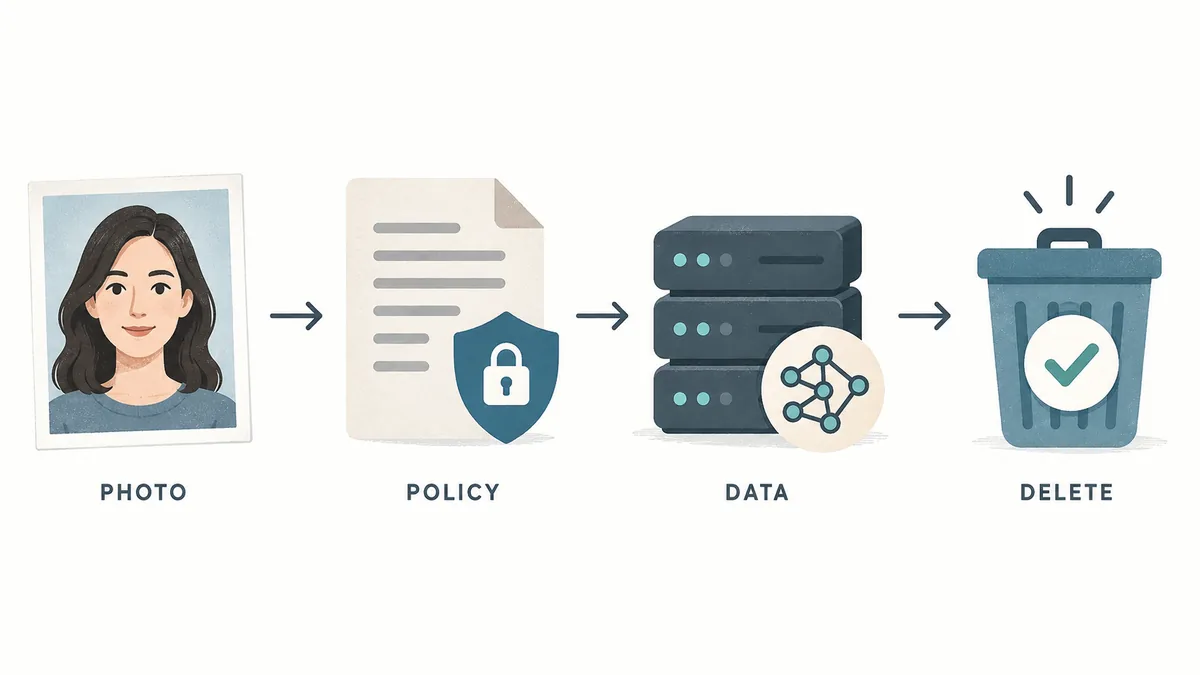
Storage and retention: what happens after the upload?
Ask whether the image is processed briefly and discarded, or stored in a database, bucket, moderation queue, backup, or account. Look for a time period and the systems it covers.
A stated retention period is better than “as long as necessary.” Check whether deletion covers the original, thumbnails, extracted features, and backups. If the boundaries are unclear, you cannot verify what delete means.
Check whether result pages expose the image through a public or guessable URL. Avoid sharing links that include a face photo, user ID, or token.
AI training and third parties
A photo-rating service may use a model hosted by another company. That is not automatically unsafe, but the service should explain whether an upload goes to a cloud, analytics, moderation, or model provider.
Look for a clear training answer: are uploads used to train, evaluate, or improve models? Prefer no training by default or a real opt-out.
A score is not anonymous just because your name is not requested. IP addresses, account IDs, device details, and timestamps can connect an upload to a person.
Accounts, deletion, and user control
An account can help you delete history, but it can also create a longer-lived profile of uploads and scores. Ask whether an account is required and what history is visible.
A credible deletion path is specific: a button, support request, account control, or expiry period. Do not assume closing a browser tab deletes server-side data.
For someone else’s photo, get permission and check the terms. Use extra caution with children, clients, coworkers, or anyone who did not agree to face analysis.
How to read a privacy policy without getting lost
Find the sections on information collected, use, sharing, retention, security, transfers, cookies, and user rights. Search for image, face, biometric, training, delete, retain, and third party.
Compare the policy with the interface. If the upload panel says immediate deletion but the policy allows retention to operate or improve the service, the broader policy matters. Ask support when the policy only discusses generic account data.
A privacy policy describes stated practice; it does not remove every risk. For biometric terminology, see the NIST glossary, and for broader guidance, review the FTC privacy and security resources.
Privacy reminder
For this site’s stated data practices, start with the RateMyPhoto.org Privacy Policy
How to upload more safely
If the policy answers your main questions and you still want to try the tool, reduce exposure before you choose a file.
- Use a copy rather than the only original, and remove embedded metadata when it is not needed.
- Crop out other people, addresses, badges, documents, children, and distinctive private surroundings.
- Choose a clear, ordinary portrait instead of a highly sensitive image, intimate image, or identity document.
- Avoid public result links and do not reuse a password if the tool asks you to create an account.
- After the result, use the documented delete control and keep a note of the request if the image was sensitive.
These steps lower unnecessary exposure, but they cannot control everything a service or its vendors do. If the policy is unclear, stop and use a local or non-upload workflow instead.
Red flags to avoid
A single missing sentence does not prove that a site is malicious. Several missing answers together, however, should change your decision. Be cautious when you see the following:
- The tool requests a face photo before showing a privacy policy or basic processing explanation.
- The service promises 100% privacy but never says whether images are stored, trained on, or shared.
- The upload opens a different domain or provider without explaining who receives the image.
- A result link is public, indexed, or easy to guess from a user number or filename.
- The service asks for an identity document, sensitive image, or child’s photo for a casual attractiveness score.
Lower-risk ways to use an AI rater
The most defensible use of a photo-rating tool is narrow: compare presentation choices, not people’s worth. Keep the purpose specific and stop when the upload is no longer necessary.
Compare profile-photo crops
Use a low-sensitivity portrait to compare framing, lighting, and background. The goal is to learn which presentation is clearer, not to label your appearance.
Test a dating-photo sequence
Compare a small number of ordinary photos and keep the feedback about clarity and composition. A score cannot predict chemistry, safety, or the quality of a relationship.
Learn how photo models react
Treat the result as a model response to lighting, angle, and image quality. Avoid turning a variable score into a permanent judgment about yourself.
For a deeper explanation of how photo scores work, read how AI rates your photo.
If you still want to compare a face photo, try the AI face-rating tool with a low-sensitivity image.
Bottom line
So, is Rate My Photo safe? The honest answer depends on the exact service and its current data practices. You can make a better decision by verifying storage, retention, training, third-party processing, account requirements, result visibility, and deletion before uploading.
Use the least sensitive image that can answer your question, keep the purpose narrow, and treat an AI rating as feedback about one photo. If the service is vague about privacy or asks for more personal data than the task needs, do not upload. A lower score is never a reason to give up control of your face photo.
Frequently asked questions
About the author
Sophie Laurent
Sophie Laurent writes about practical AI tools, digital identity, profile photography, and online privacy. Her guides focus on what users can verify before sharing personal images.
References and further reading
Last updated: September 20, 2026